Skip to content

What’s new

Fresh off the board.

The latest from Castle Gambit, as it happens: what we’ve built, what’s changed, and what’s coming to your club night.

The home page ·

The last word is a ticket now

The home page ends on an open invitation, and on a folding phone it finally uses both halves of the screen.

The short version

  • The bottom of the home page is an open invitation, on the same ticket every open game and tournament gets
  • What’s the Castle Gambit? has room to breathe: the story on one side, the index it’s missing from on the other
  • On a folding phone opened flat, every section lays out across the screen instead of down one side
Read the whole thing

Earlier

  1. Puzzles and openings

    Fold it, turn it, the board keeps the room

    On a folding phone, a phone on its side or a small one, the board now takes the space and everything else moves over.

  2. Find a game

    My calendar: your chess, on one page

    Everything you said yes to, and every night at your clubs, by day. It fills itself in. Only you see it.

  3. For organizers

    The note and the poster, from the start

    Add your event’s note and its poster while you’re making it, and change either from any Edit. No more hunting for the button at the bottom of the ticket.

  4. Find a game

    Your poster, where people are looking

    Events with a poster now wear it on Find a game, so the night you worked on doesn’t look like every other row.

  5. Tournaments

    Share how you did

    Finish a tournament and there's a picture of it waiting: your place, your score, every round. One tap sends it to your phone's share sheet, sized for an Instagram Story.

  6. Tournaments

    The way back to your board

    You checked the bracket mid-game. Now where do you mark the result? At the top of every page: your board, your opponent, and one button.

  7. Club night

    Play the person you just met

    You got talking by the coffee and you both want a game. Tap Play on their name, they tap Play on yours, and there’s a board with your names on it.

  8. For organizers

    Remove the whole series

    Fridays aren’t happening any more? One button takes every Friday off your schedule, instead of calling them off one at a time.

  9. Castles

    Not every club night is at night

    A club that meets at 1 pm now has club afternoons, a club that meets at 10 am has club mornings, and a college club can say so on its page.

  10. Find a game

    What’s on, by day

    Find a game is two tabs now, Gambits and Clubs. Gambits lists every club night, open game, meetup and tournament near you, day by day, so you can see your week at a glance.

  11. Your account

    Home got shorter

    Your home page says each thing once now: half a Club card, tonight in a line, what you're going to before where you belong. On a phone it's about half the scroll.

  12. For organizers

    My Castles takes you straight in

    Open My Castles and tap your club's name: you're in its organizer console. Under it, four links: Tonight, Organize, People and Calendar.

  13. For organizers

    The Organize menu explains itself

    Tonight, Gambits and Tournaments each say what they're for now, and practice runs have a page of their own instead of a card at the foot of two others.

  14. Club night

    Your phone says it once now

    On a tournament night your phone used to tell you the tournament's name twice and that a result was confirmed twice. Now it says each thing once and leaves you more board.

  15. For organizers

    Room for the walk-ups

    Sixteen people walked in to a knockout with room for eight. Now the limit is on the form, and it grows with the field at the door.

  16. For organizers

    Fat thumbs, forgiven

    A loud bar, a phone in one hand, eight boards that look alike. Now a knockout result you tap by mistake can be taken back before it counts.

  17. For organizers

    The TV knows it’s tournament night

    A board more on every page, the tournament’s name in full, and the strip at the bottom stops offering a break to people in a knockout. The printed bracket says where everyone goes next, too.

  18. Tournaments

    Find yourself on the bracket

    Twenty-four names, two brackets, one phone. Open the bracket now and it starts where you are: your board, your colour, your opponent.

  19. For organizers

    The TD console keeps up

    Sixteen people at the door, a phone in one hand and a clock running down. The console got quicker and quieter for exactly that.

  20. For organizers

    Put a poster on it

    You made a lovely flyer for the tournament. Now it can lead the tournament’s page too.

  21. For organizers

    Run it again

    Your tournament went well and you want another one in two weeks. That’s one button and a date now.

  22. For organizers

    Run it again brings the poster

    The next tournament now arrives with last time’s poster and note, and both live under Edit with everything else.

  23. Gambits

    Say you’re in, see who else is

    Answer a gambit and the faces of who’s going show up at the top. It’s nicer than counting heads at the door.

  24. For organizers

    Put the address on the ticket

    A tournament can say exactly where it is: the venue's name, its street address, and a Directions link, right on the ticket people open.

  25. Gambits

    I’m in

    Send one link to your chess night and people can say yes before they’ve even made an account. Making the account is saying yes.

  26. Gambits

    One short link for your event

    Every gambit posted from today gets six characters of its own. That’s its link, it fits on a flyer, and for a club night or a tournament it’s the code at the door too.

  27. Tournaments

    The game is on the bracket now

    When we’ve recorded a game from your tournament, you’ll find it right where you went looking: under the bracket and the standings, and on the match itself.

  28. Tournament night

    A board for everyone, and no more guessing

    Knockout nights now share the room with casual games, nobody gets sent to a board that isn’t there, and between matches your phone tells you exactly who you’re waiting for.

  29. For organizers

    Tonight and the TD console, on one screen

    Running a tournament on club night used to mean two screens that each knew half the story. Now, while the tournament is on, Tonight is the console, and the console is Tonight.

  30. Learn

    Four more for Black, and the Italian, the London and the Caro–Kann go deeper.

    The opening trainer has the Albin Countergambit, the Modern Benoni, the Bogo-Indian and the Taimanov now, plus three new lines each for three openings people already play.

  31. Find a game

    Find a game, quicker: fewer taps, no waiting between tabs

    Tabs open the moment you tap them. The search box answers as you type. Clubs knows where you are if you've told us once.

  32. Learn

    Six more for White, and two traps you won’t fall into.

    The opening trainer has the Ponziani, Bird’s Opening, the Nimzo-Larsen and the Grand Prix now, plus calm, tested answers to the Stafford and the Englund: the two gambits everyone’s seen in a trap video.

  33. Find a game

    Find a game, tidied up: one box, and a place that's yours

    Type a town or a club. Set your location once and Find a game starts there every time. The games are at the top now, where they belong.

  34. Prep

    First Moves: learn to play, free

    A four-week beginners' course in Prep, from how the knight moves to your first club night. Short lessons, a board you play on from the first minute, drills that deal a fresh position every time, and practice games whenever you want a whole one.

  35. Puzzles

    Focus: just you and the puzzle

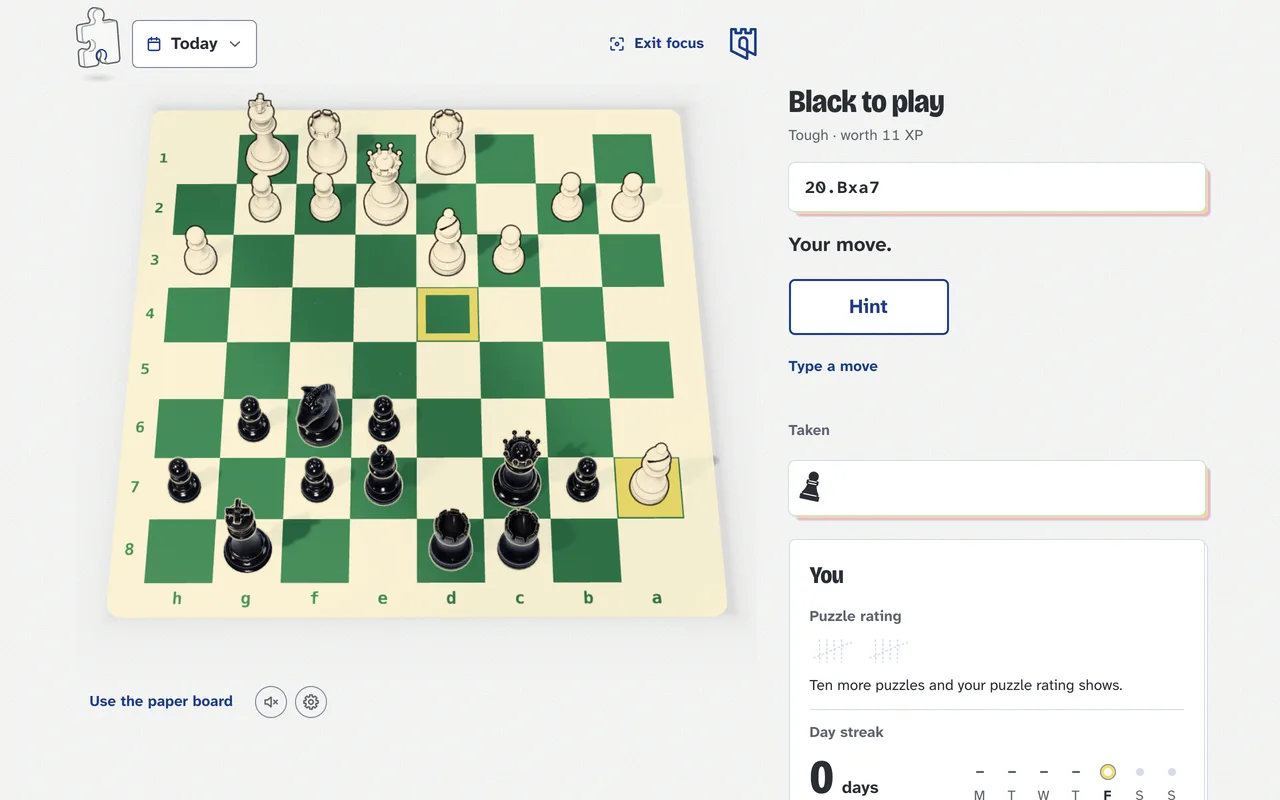
    On a laptop, one click puts everything but the puzzle away: no menus across the top, nothing at the bottom, and a bigger board. Puzzles also have a new title, and it floats.

  36. Puzzles

    The puzzles talk back now

    Turn the sound on and the puzzles say a few words as you play: a nod when you find it, a nudge when you don't, and the idea once it's solved.

  37. Prep

    The Immortal Game, one move at a time

    Prep has a new shelf: Immortal Games, famous games you can play through on our board, with notes at the big moments and Stockfish’s other way to try. First up, London, 1851.

  38. Puzzles

    The puzzle of the day, right at the door.

    Open Puzzles and today's puzzle is the first thing you see: its date, its rating, whose move, and Play. The last 30 days are one tap further, each labelled by its date.

  39. Tournaments

    The morning after, the results

    A tournament’s page now knows when the night is over: it says who won, and takes you straight to the bracket.

  40. Club night

    Copies don’t match? Tell the TD what happened

    When your result and your opponent’s disagree, the fix for a mis-tap now comes first, and for everything else you can tell the TD what happened in a few taps, before they’ve crossed the room.

  41. For organizers

    Six characters, not a paragraph of link

    Make a tournament and you get its code straight away: six characters you can say across a room. Players type it at castlegambit.com/play, or scan the QR code, and it's the same code on the night.

  42. For organizers

    Tonight’s boards, right where you look

    How many boards the tournament gets tonight is now one line at the top of the TD console, and on Tonight, with Change beside it.

  43. Tournaments

    Watch from the rail

    A club can now let anyone signed in to Castle Gambit watch its tournament: a Spectate button beside Accept the gambit, straight to the bracket.

  44. For organizers

    Your house rules, on New tournament

    Every set of house rules your club has saved is on New tournament now, not just the starred one. And if none of them is quite right, building new ones is a tap away.

  45. Castle Gambit

    Pull down, watch it draw

    On your home screen, pulling down to refresh now draws our tower as your finger goes. And while a 3D board loads, a pen runs round it.

  46. For organizers

    Simulate a tournament night

    Up to 64 pretend players who report their own results, disagree, forget, don't turn up and call you over, in the real TD console. Nothing counts, and it's gone in a day.

  47. Castle Gambit

    A new mark on the door

    Castle Gambit has a new logo: a castle tower drawn in one line, with a door in it. You'll see it on your home screen, in the corner of every page, and soon on a hat.

  48. Your account

    Give your card a flick

    Your Club card's strap moves with the card now, like the real thing. And on any phone you can take hold of the card, swing it on its strap and let it go.

  49. Your Club card

    Your stamps got heavier

    Every stamp on your Club card is a raised seal now, pressed into the card like a postmark and inked, and when the card moves the light moves across it.

  50. For organizers

    Practice a tournament with pretend players

    Run a whole knockout or Swiss from the TD console on your own, before your first real one. The players are pretend, nothing counts, and it's gone in a day.

  51. For organizers

    Run your knockout from the bracket

    Tap a match on the wall chart to say who won, record a no-show or answer a raised hand. The console is still there; for results, forfeits and hands, you don't have to go back to it.

  52. Your account

    Tilt your phone, tilt your card

    Your Club card hangs from a strap that goes all the way up now, clipped through a proper slot, and it leans with your mouse, with your tilt on most Android phones, or with a flick on any phone.

  53. For organizers

    Tournaments, at every club

    Any club on Castle Gambit can run a Swiss, a round robin, quads or a knockout now, straight from New tournament. No waiting list, and no need to email us first.

  54. Your account

    Your Club card, now on a lanyard

    Your Club card hangs from a canary strap now, with a QR code anyone at the table can scan. And if you like, it can show your puzzle rating and your five skills too.

  55. For organizers

    A tournament on club night, your way

    Running a quick tournament on the same evening as your club night? New tournament now asks whether casual games carry on alongside it, and the room does what you said, whoever opens the night.

  56. Club night

    Raise your hand without leaving the board

    A rules question, a clock that's acting up, or a disagreement over what just happened: tap Call the TD, and the TD sees which board needs them.

  57. For organizers

    Closing time, with a tournament still on.

    Close tonight’s lobby while a knockout is still going and Castle Gambit now says so first, names the boards nobody has reported, and tells you exactly what Reopen brings back. The share screen, the flyer and the door poster also say how your club’s door works.

  58. Puzzles

    Found it!!

    Some puzzles hide a move worth two exclamation marks. Play it and the piece comes down hard enough to raise the dust, with a red !! to prove it.

  59. Club night

    Knocked out? There's still a game

    Once a tournament is over for you, your phone asks if you want a casual game and pairs you with the others who are out. And a club can keep the room's list of who's here off players' phones on tournament nights.

  60. Your club

    Standings for your club, and every event you’ve played

    Each club now has Standings its members can see: a ladder, the season’s points and the month’s climbers. Your profile lists the tournaments you’ve finished, and you choose who sees them.

  61. Club night

    Stepped out for coffee? Tap I’m back.

    Tournament nights on your phone, with fewer dead ends: one tap to come back in, a casual game when you got there after entries closed, and a Withdraw that asks before it gives your place away.

  62. For organizers

    The TD console, ready when you are

    It opens whole on a phone, the first raised hand makes a sound, and a knockout you started a little early waits for one tap instead of a hunt.

  63. For organizers

    The busy-night buttons, one tap away

    We counted the taps for everything an organizer does on a packed night. The code, the TV and the TD console are now a tap from wherever you are.

  64. Your account

    Your Club card, now worth showing off

    Your Club card got a glow-up: your pawn's rank in big canary letters, your stamps pressed on in ink, your Social Elo when you show it. And a Share button, so the group chat can finally see it.

  65. Club night

    Your Social Elo

    The rating from the games you play across a real board has a proper name now: Social Elo. Same number, same rules, and it comes with you to every club you play at.

  66. Puzzles

    Every puzzle counts now

    No more skipping a puzzle you haven't tried. Stuck? Take a hint, then another, then see the answer, and the next one comes a little easier.

  67. On your phone

    Pull down to reload, and pick up where you left off

    If you've added Castle Gambit to your home screen, you can now pull any page down to reload it (watch the rook), and the app opens where you left it.

  68. Puzzles

    A bigger board, and the taken pieces get a pile of their own

    On a laptop, puzzles now open with one title row, settings and sound a click away, and the board as big as your screen allows. The pieces you take land in a little pile beside your moves, and you choose where they go.

  69. Puzzles

    Puzzles now open on the 3D board

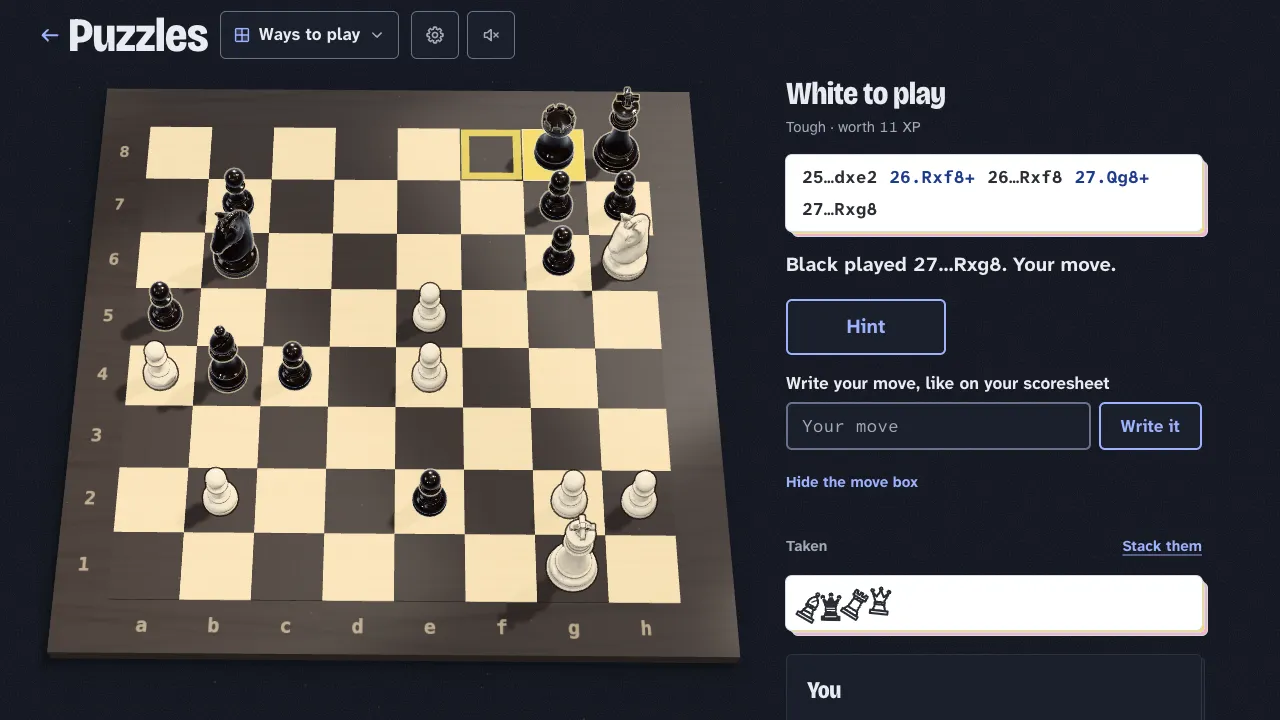
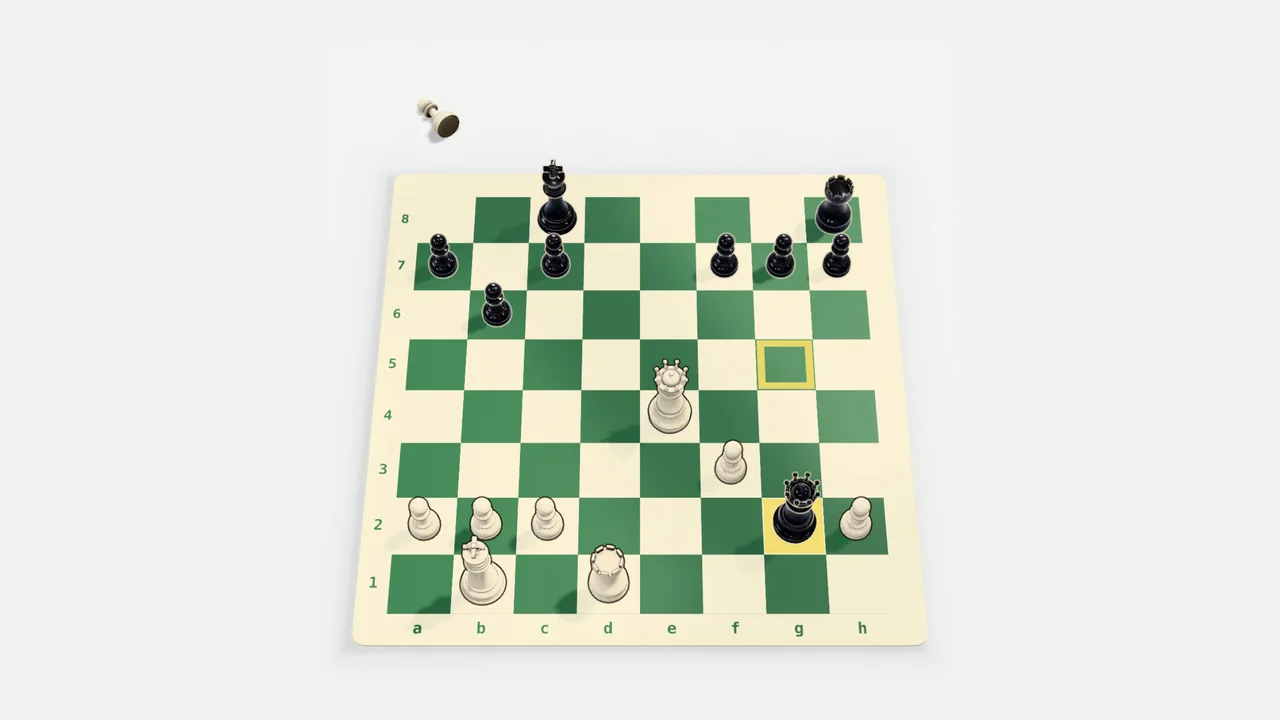
    We'd been keeping the good board in the cupboard. Puzzles now start on the 3D board, on a tournament roll-up mat with a club set, on any phone or computer that runs it smoothly. The flat board is one tap away in Settings.

  70. For organizers

    Run tonight's tournament without leaving the TD console

    Open the night, check in the people without phones, add the walk-up at the door and enter every result on its board, all from the TD console.

  71. Club night

    Sign up in a tap. Sit down in two.

    Scan the code, tap Continue with Google, and you’re in tonight’s lobby. Your games and your rating come with you to the next club night, from the very first one.

  72. Puzzles and the opening trainer

    Three new boards, three new sets, and one of them is ours

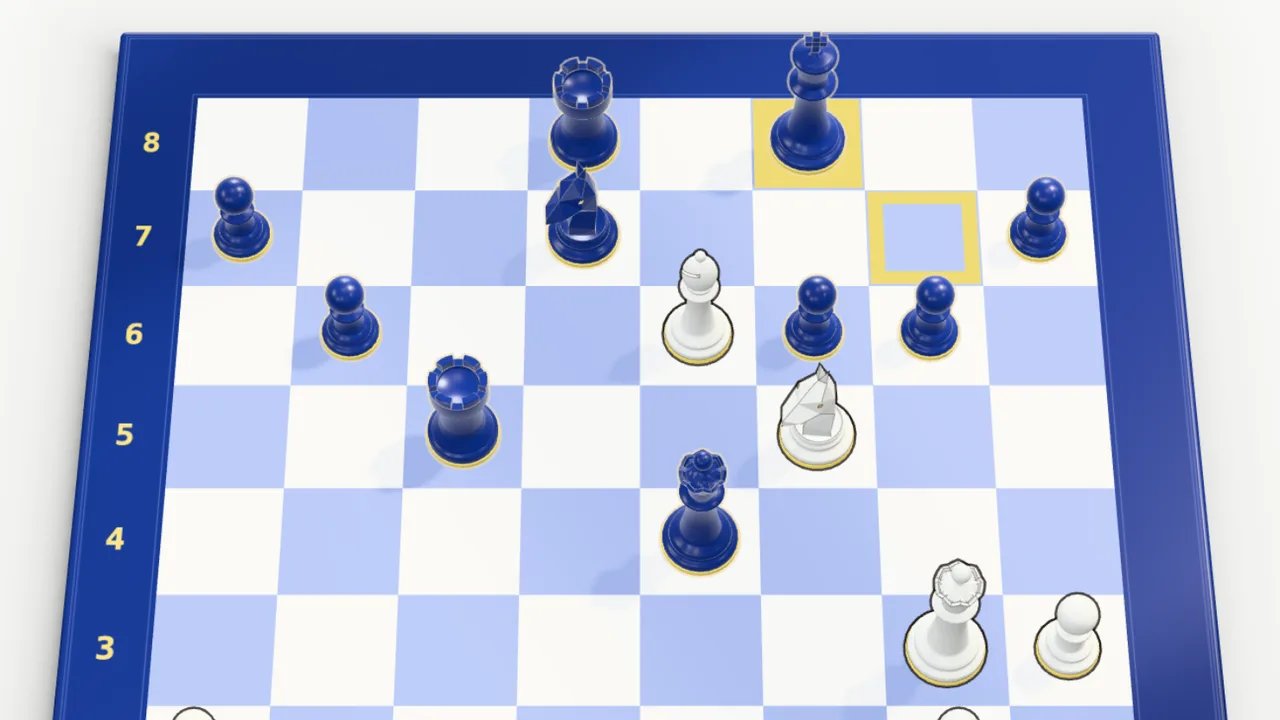
    The Castle Gambit board and set are here, free for everyone: navy and sheet white, a canary ring under every piece, and a knight folded out of paper. Two more looks, Studio and the Tumblers, are Supporter looks you can try on today.

  73. For organizers

    Scan the code, you're in the tournament

    Clubs that warm up off the app and then start the tournament can switch check-in off: scanning tonight's code enters tonight's tournament, and everyone entered plays.

  74. Puzzles and the opening trainer

    Wood, steel and a cartoon: three more boards, and the Tumblers get a new base

    A lacquered walnut tray, a machined steel plate and a cel-shaded cartoon board, each with its own set of chunky classic pieces you can name from across the room. The Walnut tray is free for everyone. The Tumblers now wobble on a big silver or birch base with a band of colour round it.

  75. Puzzles

    A bigger 3D board, with the carving showing

    The 3D board now takes up the room it's given, the pieces show their carving, and taken pieces go behind the board instead of crowding the side.

  76. Puzzles

    Knights you can tell apart on the 3D board

    The 3D board's knights now stand three-quarters on, so you see a horse's head instead of a stump. Every piece's outline goes all the way round, too.

  77. Puzzles

    Solve one, watch the number climb

    On a phone, your puzzle rating and Prep level now sit at the bottom of the screen and roll up the moment you solve one. The board sits higher, the modes are one menu, and the board settings got tidier.

  78. Puzzles

    Pick 2D or 3D first, and see your pieces better

    Puzzle settings live behind one ⚙ at the end of the mode tabs now. Choose 2D or 3D, then only the looks that board can wear. The 3D set is easier to read, and the piece you're about to move gets an outline.

  79. Find a game

    Find a game: everything near you on one page

    Club nights on tonight, open games and tournaments this week, and the clubs in your town, all on one page. Pick one and go.

  80. Getting around

    Find a game, then Prep for it.

    The top of the site now says what it’s for: Find a game, for a real night at a real club, and Prep, for getting ready for it. Prep counts down to your next night and puts today’s puzzle right on the page.

  81. Learn

    Play puzzles on a tournament roll-up

    There's a ⚙ next to Hint now. Pick thinner outline pieces, a high-contrast board, or the green vinyl roll-up you'd find at any tournament, black and ivory set included, on paper or on the 3D table.

  82. For organizers

    Your room, on your page.

    Owners and organizers can now put up their own photo as the Castle’s cover, in place of one of our rooms. Your boards, your windows, your slightly wobbly table by the door.

  83. Learn

    Black, now in detail.

    On a phone, our black king and our black pawn could pass for each other in poor light. Not any more: every piece shows its parts now, so you can tell what's on a square at a glance.

  84. For organizers

    The night knows when it's over

    A club night on your schedule now closes itself two hours after it ends, once the last game is done. Tonight shows the time, keeps it open an hour at a tap, and brings it back for six hours if you closed it too soon.

  85. Puzzles

    Scramble: puzzles against the clock.

    Short puzzles, easy first and harder with every one you solve, on a 3 minute clock, a 5 minute clock or none at all. Three misses and you’re done. And now there are standings, starting with your own club.

  86. Learn

    The Climb: from the kitchen table to the tournament hall.

    Puzzles now come with somewhere to go. Five places to play, eight pawns on each board, and every square a little harder than the last. Solve five to push a pawn; get one across and the next place opens.

  87. Learn

    Today's puzzle, and practice your way.

    One puzzle a day, the same for everyone, worth 5 XP on top. And Practice now takes orders: pick your themes, pick how hard, or play only the ones that got away.

  88. For organizers

    Every tournament starts from New tournament

    Running it on paper and only want to know who's coming? New tournament now makes just a sign-up list. And the Gambits page tells its three buttons apart with a tap on ⓘ instead of a paragraph.

  89. Puzzles

    Your puzzle rating, a streak, and your skills

    Ten puzzles in, you get a puzzle rating of your own. There's a day streak with a rest day built in, and a pentagon that shows which kind of puzzle you're best at. Only you see any of it.

  90. Learn

    Five thousand puzzles. Bring a friend.

    The puzzles under Learn have been solving quietly since the start of October. Now they’re on the noticeboard: 5,000 positions from real games, free, pitched at the right difficulty for whoever sits down, and no account needed.

  91. For organizers

    Tell the whole room at once

    Organizers can now put one line on the club TV, like where the pizza is or when round 2 starts. It turns up along the bottom of the screen with everything else, and goes when the night does.

  92. Club night

    A Castle's schedule, at a glance

    Every club night used to take a row a week on a Castle's page. Now each night is one card: when it usually runs, when it's next, and the dates after it as little chips that only stand out when something's different.

  93. Club night

    The club TV has more to say

    The screen on the wall looks more like the pairing sheet it's based on. It keeps the time in the corner, and a line along the bottom tells the room who's waiting, what's next and how the night works, one thing at a time.

  94. For organizers

    Made a Castle just to see? You can delete it.

    If nobody has played at your Castle yet, you can now delete it for good from its details page. Practice runs welcome.

  95. For organizers

    Made one too many? Delete it.

    An event, a tournament or a gambit nobody has used yet can now go for good, not just be ended or called off. And a tournament that hasn’t started can change its format.

  96. For organizers

    How did the night go? Now you know.

    After each club night closes, the people who run the Castle get a short recap: who came, who was new, how many games, how the disputes ended. Counts only. And by email the morning after, if you want it.

  97. For organizers

    Your Castle's tools, in one menu

    Organize has lost its sidebar and gained a menu: Tonight, Gambits, Tournaments, People and Results up top, your Castle's settings underneath, and the page gets the whole width of the screen.

  98. For organizers

    Organize opens on your Castle now

    No more page of cards between you and tonight. Organize goes straight into the Castle you run, with every page for it down the side, gambits you can change right in the list, and your tournaments one tap away.

  99. For organizers

    Drawn knockout? Switch colours and go again.

    A knockout's drawn match can now play on: colours switch for a 5-minute game, then 3-minute games until someone wins. And your club's own house rules can be the default everything starts on.

  100. For organizers

    Change a tournament from its own page

    A tournament's page now has Edit, the TD console and Call it off for the people who run it. And every tournament says plainly whether its bracket runs here or it's just a signup list.

  101. Your Castle

    Faces, not just initials.

    If you’ve added a photo, it now shows on your Castles’ member lists, for their members. Still never in the lobby, on the club TV or on a gambit.

  102. For organizers

    Add the room to tonight's tournament in one go

    On Tonight, the TD sees who's entered tonight's tournament right on the Who's here list, enters anyone with one tap, or ticks the whole room in at once.

  103. Club night

    Tournament night? The big button enters you

    Join the room with tonight's code and, if there's a tournament taking entries, the big button at the bottom of your phone now says Enter. One tap and you're in, checked in, and waiting for your board.

  104. Club night

    Played tonight's tournament as a guest? Keep it

    When your tournament's over, knocked out or all the way to the end, your phone asks once more: add your email and your result, your games and your rating come with you to the next one.

  105. Tournaments

    The wall chart draws the roads to the final

    Once a knockout reaches the semifinals, every player still in it gets their whole run drawn on the wall chart in bold ink, blue for the top half and pink for the bottom, right up to the board they're on now.

  106. Castles

    Find a club near you. Even before you sign up.

    Clubs that put themselves on the map by picking their address now show up in Near you for everyone, signed in or not. And organizers see players and members side by side.

  107. Castles

    Follow a club. Join it if they’ll have you.

    Nobody waits at the door any more. Follow any Castle and you’re one of its players, free and straight away. Membership is now the club’s own list, run its own way, for the clubs that have one.

  108. For organizers

    Start a Castle, take the tour.

    Two minutes, eight stops: everything your Castle can do, shown with your club’s own name on it. Then a cheat sheet that fits on one page by the club laptop.

  109. Castles

    A Castle’s page, now with a board on the table.

    On a laptop or a tablet, a Castle’s photo now runs the width of the screen and fades into a board drawn in ballpoint, where a knight turns to see what you’re pointing at.

  110. For organizers

    Your gambits are on your schedule now.

    Post a tournament, a meetup or an open game from your Castle and it shows up on your Schedule, in date order with your club nights.

  111. For organizers

    Members only now means the room too.

    A night you set to Members only was already off the public schedule. Now its room is members-only as well: tonight’s code lets your members in, and anyone else waits at the door until you say so.

  112. For organizers

    Set up your club from a desk. It still goes on the map.

    Type your Castle’s address, pick it from the list, and it’s on the map: no more standing in the room with your phone to be found in Near you. Clubs that move around pick just their town.

  113. Castles

    Every Castle’s page, redrawn.

    A Castle’s name gets the whole width, what you can do there sits beside it, and its upcoming gambits run on a row you can swipe, each with a small drawing that moves when you point at it (or by itself, on a phone).

  114. For organizers

    Pick a day, pick a time. That’s your schedule.

    Starting a Castle, or editing one, now asks when you play as days and times instead of a sentence. Every night lands on your Castle’s page and in a calendar people can subscribe to. And if your club has no fixed room, say so: we show the town and nothing closer.

  115. For organizers

    Someone asked you something. Now you’ll see it.

    When someone invites you to help run their organization, the invitation now finds you: at the top of your menu, as a small number on your picture, and on Home, where you can say yes or no thanks on the spot.

  116. Learn

    Your opening book, on every device.

    Signed in, the opening trainer keeps your book on your account now: learn a line on the bus, and it’s due on your laptop too. Only you see it, and nothing about it is shown to anyone else.

  117. For organizers

    Regulars get first pick. Newcomers still get a seat.

    Organizers can now give a Castle’s regulars a head start on a gambit with limited spots. At least half the seats wait for everyone else, and the gambit says exactly when it opens.

  118. Your Club card

    Your pawn made it. Choose your piece.

    When your crowns walk a pawn to the 8th rank, you now choose what it becomes: a queen, a rook, a bishop or a knight. It sits on your Club card, and on your profile if you show your card.

  119. People

    Follow the people you play.

    Liked your game with someone on Tuesday? Follow them from their profile, and the gambits they post land on your Home. You choose who can follow you, and only the two of you ever know.

  120. For organizers

    Guides for organizers.

    Five new guides walk you through running your club on Castle Gambit, from an empty form to a knockout final: every button, in the order you’ll press it. Free to read, no account needed.

  121. Castles

    Lately, at your Castle.

    Your Castle’s page and your Home now keep you up to date: new Gambits, new nights on the schedule, how last night went and whose standings are up. Counts, not gossip.

  122. Email

    Your week at your Castles, every Saturday.

    A weekly digest is here, for anyone who wants one: one email every Saturday with your Castles’ week. It’s off until you switch it on, and one tap stops it.

  123. Castles

    Follow a Castle.

    Not ready to join? Follow a Castle from its page and its open nights and gambits turn up on your Home. Only you see who you follow.

  124. Club night

    A quiet word, and a little distance.

    Report something from a profile, a Castle, a gambit or the lobby, in a minute. Block someone and you’ll never be paired with them at a club night. They aren’t told.

  125. Club night

    Every seat at the table.

    Club night now works from a keyboard and a screen reader, start to finish, and the lobby says so plainly when your phone loses the room. On Chrome, Edge and Android, Castle Gambit also installs like an app.

  126. Your account

    Pack up your pieces.

    Settings can now hand you your account’s data as one file, or delete the account for good. If you go, the people you played keep their games.

  127. Learn

    Find the move.

    Free puzzles from real games, pitched at the right difficulty for you, with XP toward the same Learn level as the opening trainer. No timer, no streak, and nobody sees it but you.

  128. Your account

    Your page, at @you.

    Your profile has a shorter address: castlegambit.com/@ and your handle. Old links still land, and nothing else about the page changed.

  129. Your account

    Let them see you coming.

    New profiles are public: your rating once you’ve played five rated games, where your pawn stands, and the stamps you’ve earned. Two switches in Settings, and if you were here already, nothing changes until you say so.

  130. Learn

    Forty openings, and a level to show for it.

    The opening trainer has twenty openings for White and twenty for Black now, a search to find yours, and XP for the work you put in. Levels only go up, and there’s no streak to keep alive.

  131. Learn

    Prep for Tuesday.

    The opening trainer: five openings, a few lines a day, each one back just before you’d forget it. Learn it on the bus. Play it on Board 4.

  132. Getting around

    Fewer doors, same rooms.

    “Got a code?” is at the top of the site, phones included, everything else lives in four places (Play, Organize, Learn and About), and the bottom of the page is the same map.

  133. Your account

    Put a face to the name.

    Add a photo to your profile, frame it in the circle, and your initials can take the night off.

  134. Guides

    Club chess, explained.

    Eight guides to everything nobody tells you about club chess, in plain words: starting a club, your first night, touch-move, ratings, clocks, notation and who plays whom.

  135. Your Club card

    Play a game, earn a crown.

    Every game you play at club night now earns crowns, and showing up earns stamps. Crowns walk your pawn up the board toward promotion, on a Club card only you can see.

  136. The homepage

    The board sets itself up.

    Our new homepage opens on a real board. The pieces wake up, play the first moves on their own, and the rest of the game plays out as you scroll.

  137. Find your people

    Every town has a castle. Now you can find yours.

    Castles are clubs: real rooms, real boards. Gambits are open offers: a game in the park, a meetup, a tournament. Both are here, and both are near you.

  138. For organizers

    Run the room from your phone.

    Open tonight's lobby, print the poster, pair everyone at once, and fix a result without an eraser.

  139. Club night

    Tap once. Get a board.

    Walk in, scan the code, tap Find me a game. Castle Gambit pairs the room as people arrive and tells each pair where to sit.

  140. Results and ratings

    Two copies must match.

    Report a result in one tap. When both players agree, it's stamped and it counts. When they don't, the organizer sorts it out. Nobody has to find a pencil.

  141. Hello, board

    Introducing Castle Gambit.

    An app for the oldest social network in chess: a room, a bag of boards, and whoever turns up on Tuesday.

Rather hear about it than check? There’s a feed for your RSS reader.