Puzzles ·
Puzzles now open on the 3D board
We'd been keeping the good board in the cupboard. Puzzles now start on the 3D board, on a tournament roll-up mat with a club set, on any phone or computer that runs it smoothly. The flat board is one tap away in Settings.
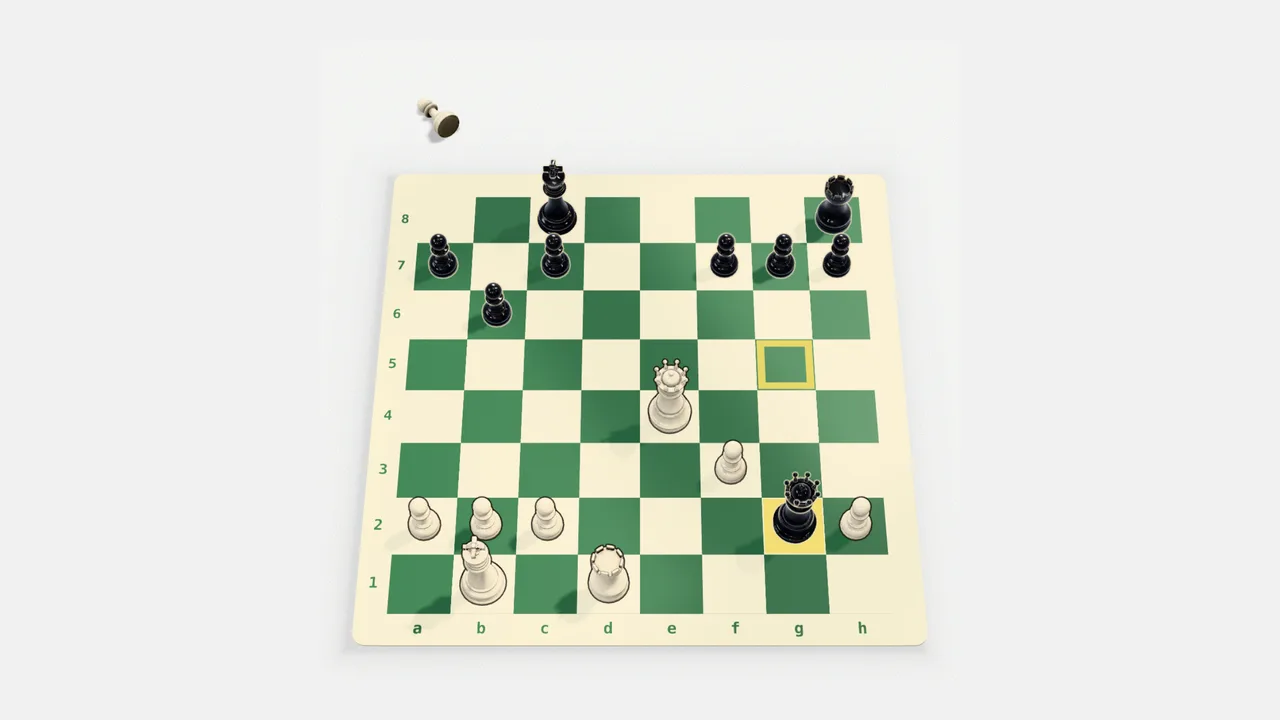
The short version
- Puzzles start on the 3D board, on the roll-up mat with a club set
- The flat board is still there: Settings, then 2D, and it stays your pick
- Picked 2D before? Nothing changes for you
- Every board and set you've seen in Settings still works on the 3D board, any set on any board
- Phones and computers that would struggle with 3D keep the flat board, without having to ask
The 3D board has been there for a while, but you had to go looking for it, which is a bit like owning a nice set and playing on the back of an envelope. So puzzles now open on it: a tournament roll-up mat, the kind folded into a club bag, with a club set on it. You still move a piece the way you always have, by tapping or dragging it.
Rather have it flat?
Open Settings from the puzzles menu and pick 2D. You get the printed board you know, and this browser remembers that you picked it. If you’d already picked 2D, nothing changes for you. Phones and computers that would struggle with 3D, or that are saving data, keep the flat board without asking, and so does the Castle Gambit app, for now.
Try the others while you’re in there
Same Settings, same panel: the club table, the Castle Gambit board and the rest are a tap away, and any set plays on any board. Pick one and it’s yours on both the flat board and the 3D one. Today’s puzzle on the Prep page follows along.